Add Instructions for Use to a Folder
Add a brief set of instructions to a folder, for example, to explain to external users what should be stored in that folder.
Written By Rico van der Stelt
1. Add instructions
Go to the folder structure.
Click the three dots next to the folder.
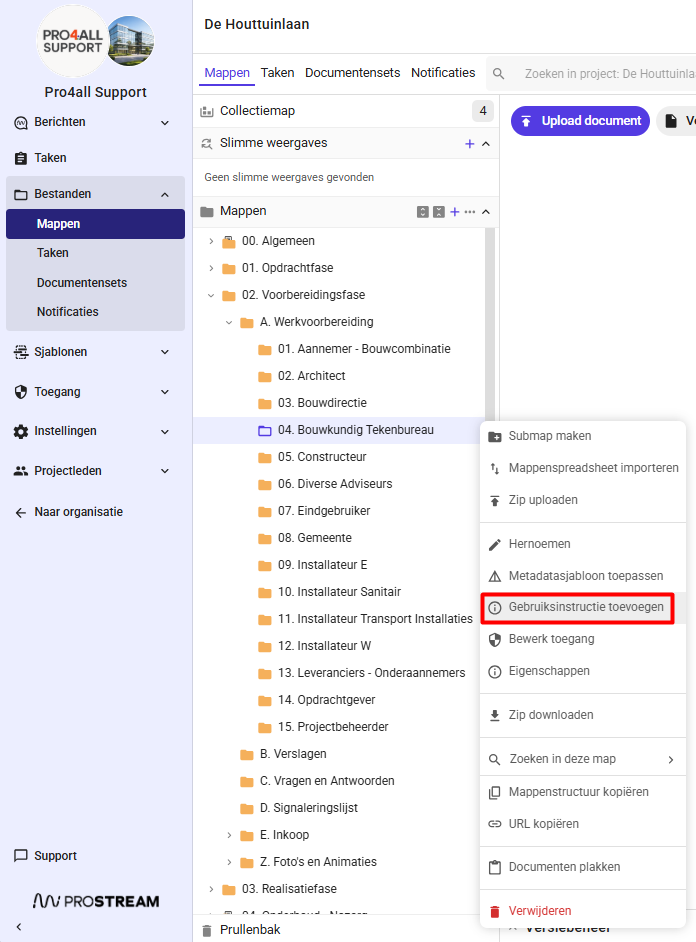
Select "Add User Instructions."
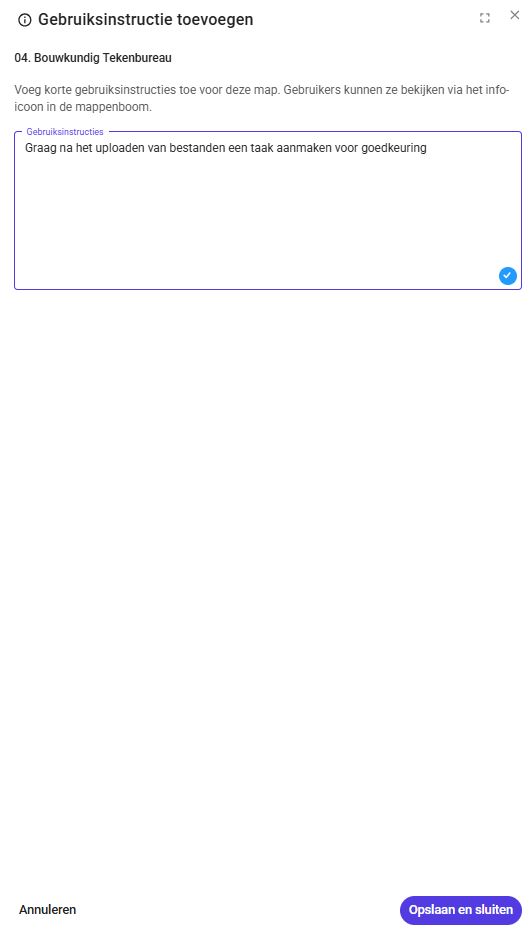
Enter the text.
Click Save.
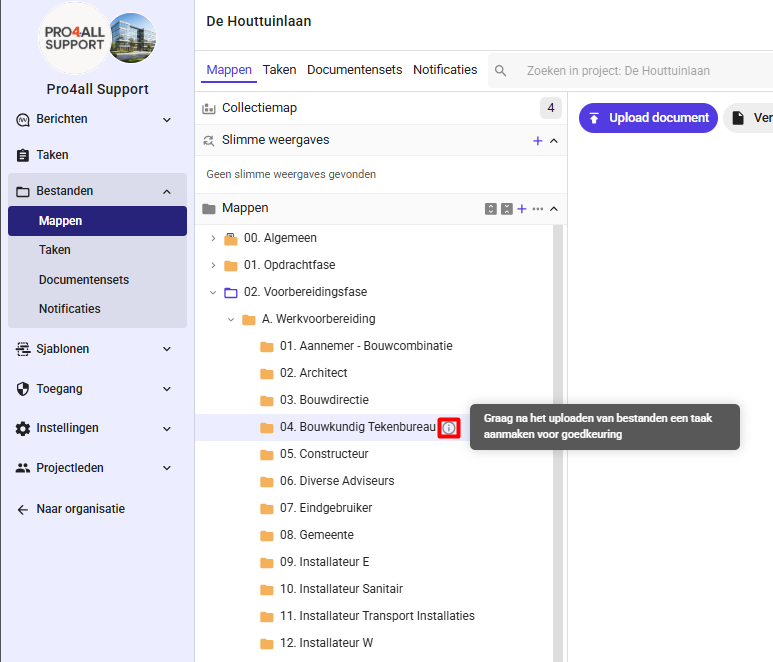
💡 Tip: Once a folder has instructions, you’ll see an info icon next to the folder name in the folder structure. Hover over it or click it to read the text. If a folder doesn’t have instructions, the icon will remain hidden.
Was this helpful?
Still need help? Ask the team