Sharing Files
In this article, you'll learn how to share files from Prostream.
Written By Rico van der Stelt
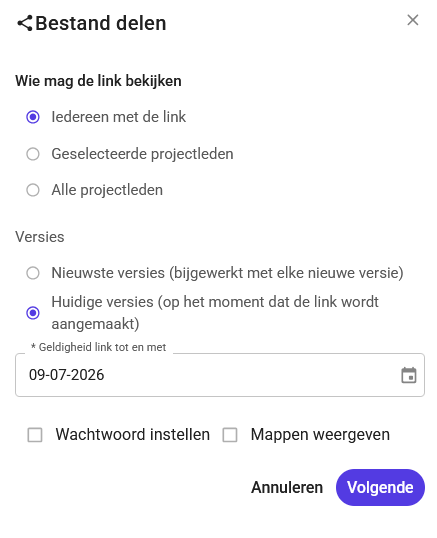
1. Sharing via a link
Select the document.
Click the three dots.
Go to Share.
Click Share with others.
Set an expiration date (up to 20 years).
If desired, add a password for extra security.
Click Next and copy the link (and the password separately).
⚠️ Note: Copy the password and the link separately. You won’t be able to retrieve them again afterward.
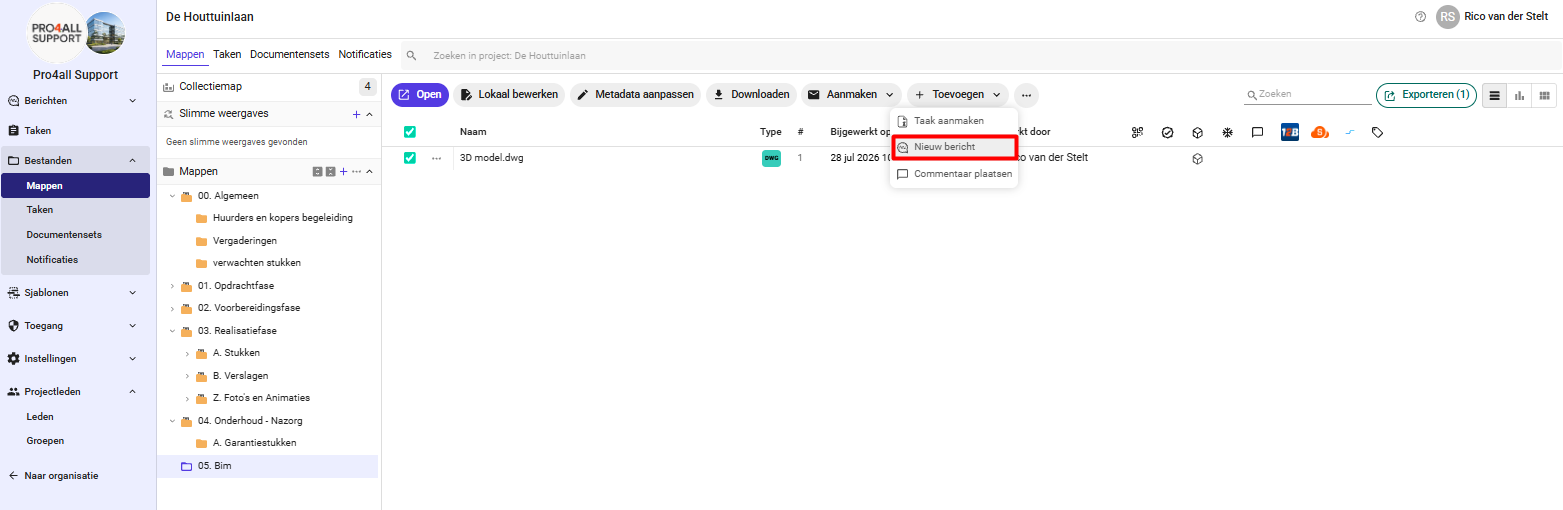
2. Sharing via a message from the folders
Select the file.
Click Create.
Click New Message.
3. Adding files to a message
In addition to files from your own computer, you can also add documents that are already in Prostream directly as attachments to a message or reply.
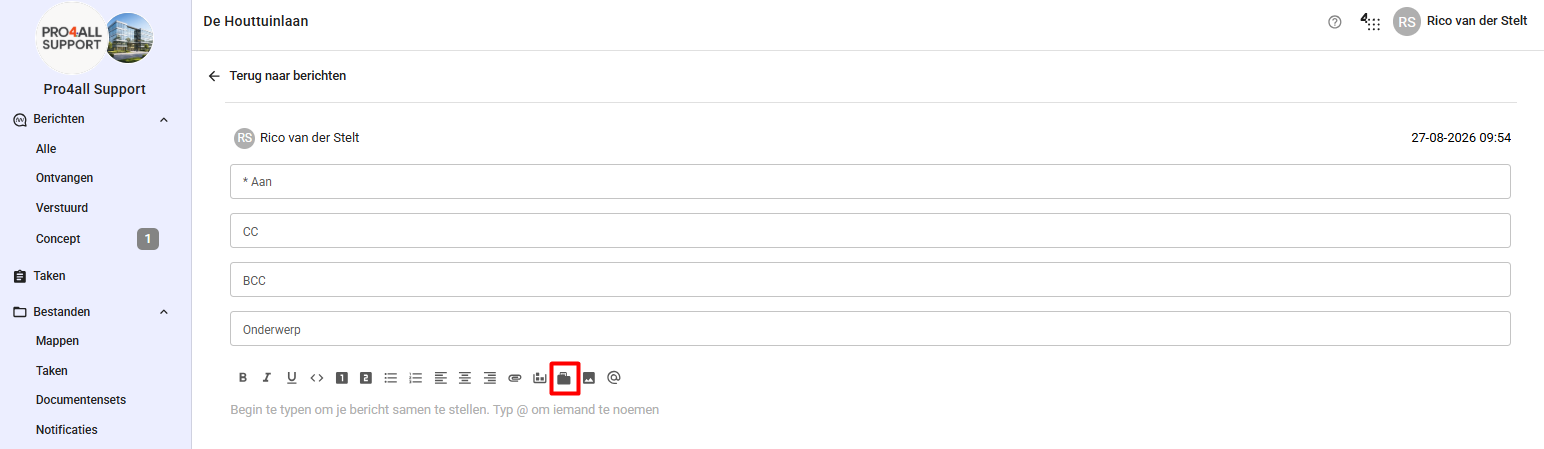
Go to Messages.
Click New Message.
Click "Attach from Prostream."
Navigate to the folder containing the file.
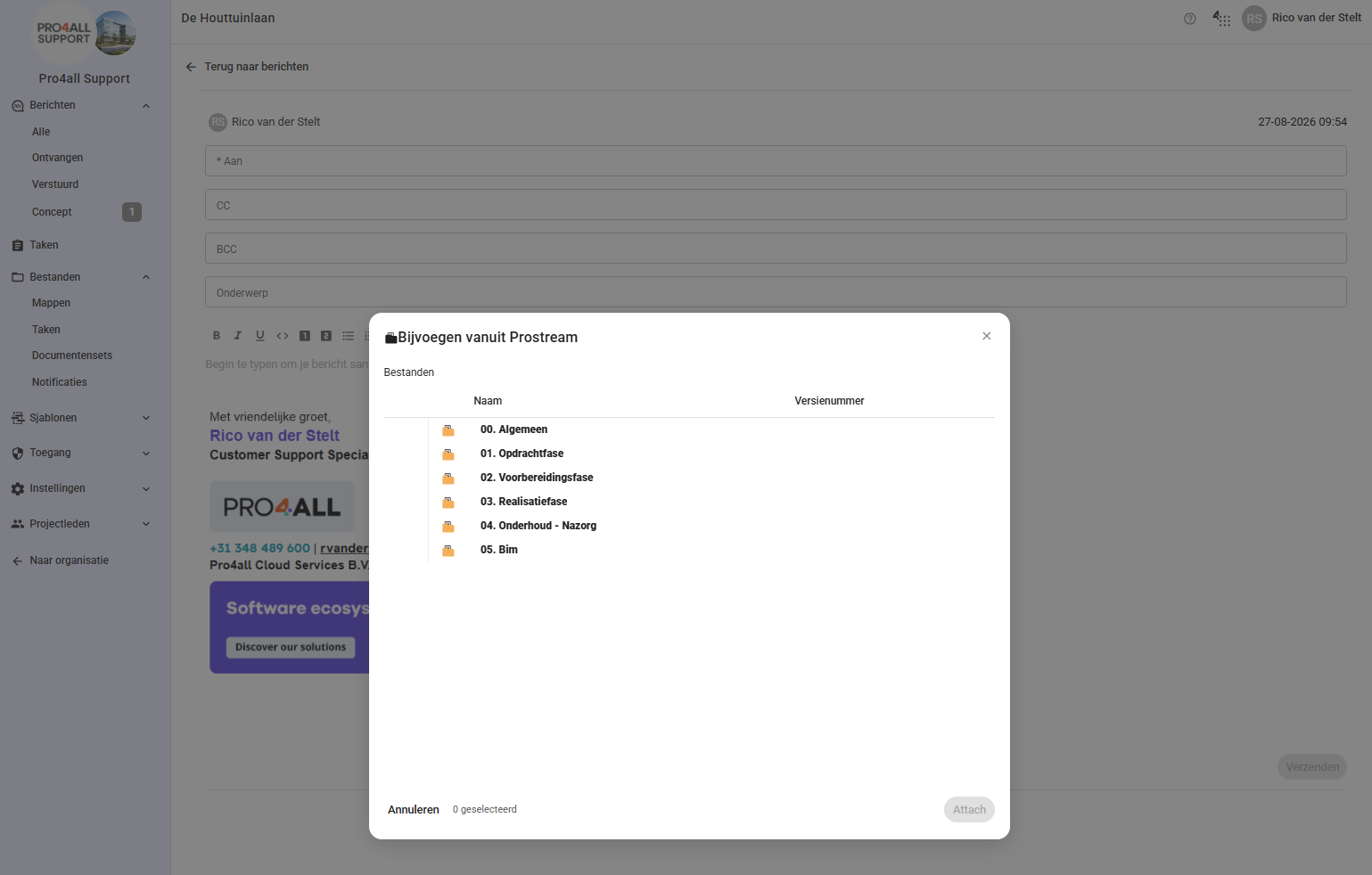
Select the document and attach it.
💡 Tip: You can use folders to browse to the right document, but you can’t attach folders themselves.
Was this helpful?
Still need help? Ask the team