Grant access to support
Enable the option that allows our support team to view your Prostream feed via the support tool so they can help you more quickly.
Written By Bryan ten Kate
Are you having trouble with Prostream? Our support team can view your screen through the support tool. This allows them to see exactly what you see and help you more quickly.
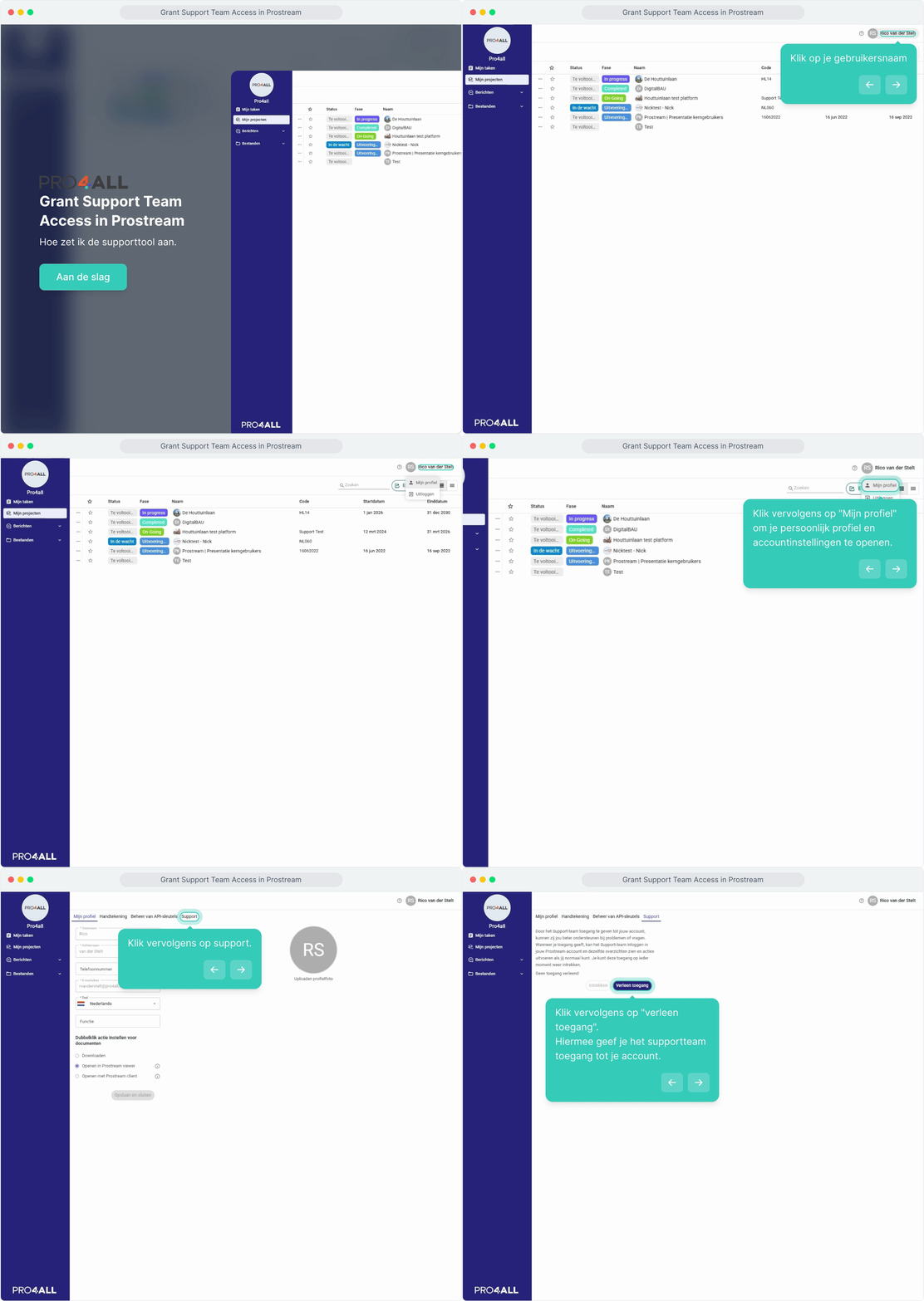
1. Enable access
Click on your name in the top right corner.
Select My Profile.
Go to Support.
Click Grant Access.
💡 Tip: Access is automatically valid for three months. You can see when access expires and can revoke it at any time.
Was this helpful?
Still need help? Ask the team