Log for Folders
Do you want to know who renamed, moved, or modified a folder? Every folder has a log, just like documents.
Written By Rico van der Stelt
1. View Log
Right-click on the folder
Select Properties
Expand the Log section.
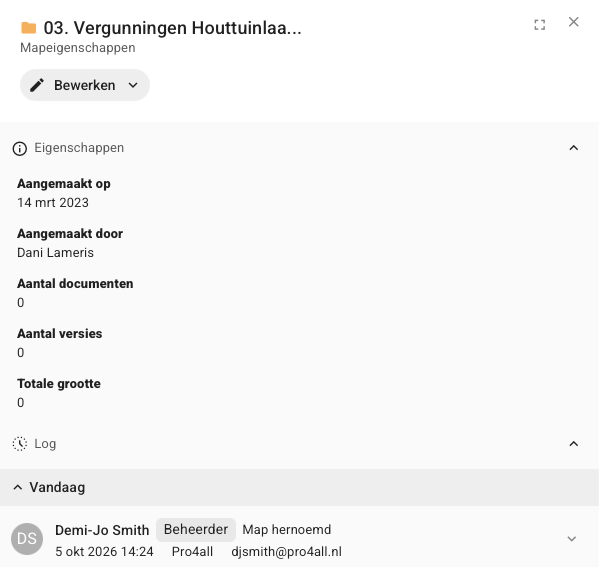
For each change, you can see who did what and when. The changes are grouped by:
Today
This week
This month
Older
2. What is logged?
Prostream records the following changes in the log:
Renaming and moving
Applying a metadata template
Adding or editing usage instructions
Changing permissions
Deleting and restoring
Link or unlink a project
💡 Tip: Actions performed on documents in the folder, such as uploading or downloading, can be found in the document’s log.
Was this helpful?
Still need help? Ask the team